
Consultation Hotline
+1 (302) 618-8777
+1 (302) 618-8777
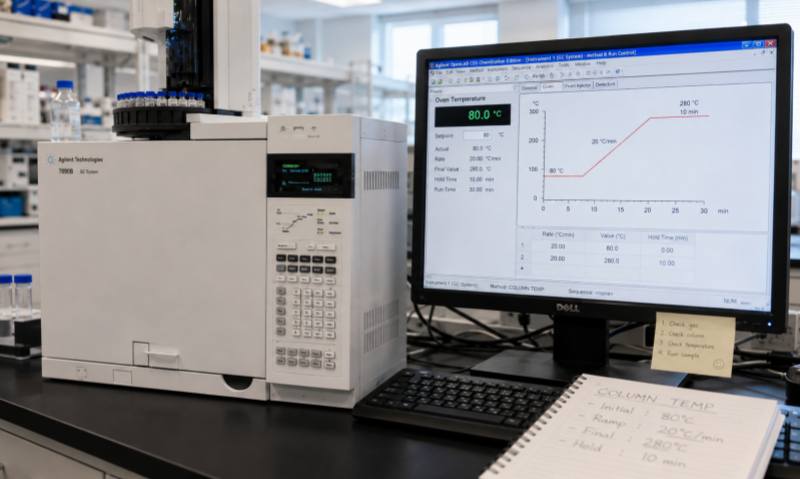
A capillary column is one of the most important components of a gas chromatograph (GC), and its installation directly affects separation efficiency, peak shape, retention time, and column lifetime. Before installing and using a new capillary column, several key points should be carefully checked to avoid contamination, leakage, and irreversible damage.
Before installation, confirm that the column dimensions and stationary phase are suitable for the analytical method. Check the column length, internal diameter, film thickness, temperature range, and polarity. Using an inappropriate column can result in poor separation or excessive analysis time. Always compare the column specifications with the GC method requirements.
Carefully inspect the column packaging and exterior for signs of damage, cracks, or deformation. Although the polyimide coating protects the fused-silica tubing, excessive bending or mechanical stress can cause microscopic damage. Avoid sharply bending or twisting the column, and maintain a reasonable bending radius during installation.
Before connecting the column, make sure the injector and detector are clean and properly maintained. Check the septum, liner, ferrules, and fittings for contamination or wear. Gas leaks should be eliminated before column installation. Carrier gas should also have appropriate purity, because oxygen and moisture can significantly shorten the lifetime of many stationary phases.
Use a dedicated ceramic or diamond capillary-column cutter to make a clean, square cut. Inspect the cut end carefully with magnification if possible. A rough or angled cut may create dead volume, poor peak shape, or unstable retention. Avoid touching the column opening with bare fingers because contamination can affect chromatographic performance.
Follow the manufacturer's recommended insertion depth for both the inlet and detector. Excessive insertion may cause the column to enter too far into the system, while insufficient insertion can create dead volume and poor transfer of analytes. Tighten fittings carefully without excessive force, which can crush the capillary tubing.
A new column normally requires conditioning before routine analysis. Set the carrier-gas flow first and ensure that the column is continuously protected by carrier gas. Gradually heat the column according to the manufacturer's recommended temperature program. Never heat a capillary column without carrier-gas flow, as oxygen at elevated temperature can damage the stationary phase.
After installation and conditioning, check all connections for leaks. Run a blank or standard mixture to evaluate baseline stability, retention time, peak shape, and background signal. If abnormal peaks, excessive bleed, or unstable retention is observed, investigate the installation and conditioning process before beginning routine analysis.
Proper column selection, careful handling, correct installation, adequate conditioning, and leak testing are essential for achieving reliable GC performance and extending capillary-column service life.