
Consultation Hotline
+1 (302) 618-8777
+1 (302) 618-8777
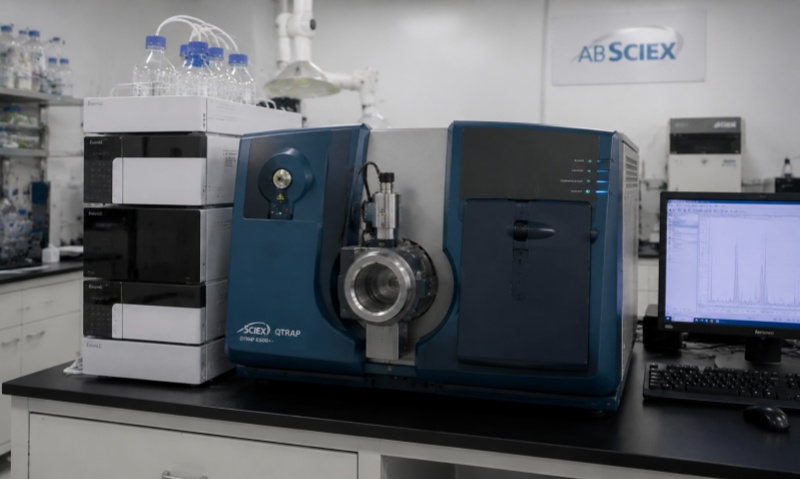
Automatic checkweighing scales are widely used in pharmaceutical laboratories and production environments for verifying the weight of samples, containers, packaged medicines, and other products. These systems combine high-precision load cells, conveyor mechanisms, sensors, electronic control units, and software to provide rapid and repeatable weight measurements. Because pharmaceutical weighing operations often require high accuracy and traceability, even a small mechanical, electrical, or environmental problem can affect measurement reliability.
Understanding common failures and applying a systematic troubleshooting procedure can significantly reduce downtime and prevent incorrect weighing results.
One of the most common problems is unstable weight display. The measured value may continuously increase, decrease, or fluctuate even when the weighing platform is empty.
Several factors can cause this problem. Environmental vibration is particularly important. Nearby pumps, centrifuges, compressors, or other laboratory equipment can transmit vibration to the weighing platform. Airflow from air-conditioning systems or laboratory ventilation can also affect high-precision weighing.
The first step is to check whether the scale is installed on a stable and level surface. Remove any objects touching the weighing platform or conveyor. Check the load-cell mounting points and make sure that the platform is not mechanically obstructed.
If environmental conditions are acceptable, inspect the load-cell cable and connectors. Loose, damaged, or contaminated connections can produce unstable signals. The load cell itself should also be tested according to the manufacturer's specifications.
If the scale consistently displays a value that differs from a reference weight, calibration should be checked.
Before recalibration, clean the weighing surface and make sure the scale is properly leveled. Verify that the reference weights are suitable for the required accuracy and are handled correctly.
Check whether the automatic checkweigher has been configured with the correct product parameters, including target weight, tolerance limits, product dimensions, and weighing mode.
If calibration cannot be completed or the error returns quickly after calibration, the problem may involve the load cell, analog-to-digital converter, power supply, or electronic control system. In this situation, component-level inspection should be performed by qualified service personnel.
Zero drift occurs when the displayed weight does not return to zero after a product has passed through the weighing area.
Possible causes include material residue, dust accumulation, mechanical friction, temperature changes, or an overloaded load cell.
Turn off the equipment according to the appropriate shutdown procedure and carefully clean the weighing platform and surrounding area. Check whether the conveyor belt, guide rail, or platform is rubbing against another component.
Temperature variation can also cause measurement drift. Allow the equipment to reach a stable operating temperature before performing calibration.
If zero drift continues after mechanical and environmental problems have been eliminated, inspect the load cell and signal circuitry.
When the checkweigher powers on but the conveyor does not operate, first inspect the emergency-stop circuit and safety interlocks.
Check whether the emergency-stop button has been released and whether the access doors or protective covers are correctly closed. Some systems will prevent conveyor operation when a safety sensor is activated.
Next, inspect the motor, drive controller, wiring, and control signals. A damaged motor, overloaded gearbox, loose connector, or failed motor driver may prevent the conveyor from starting.
The conveyor should also be checked for mechanical obstruction. Excessive product accumulation, foreign objects, or belt misalignment can increase motor load and trigger protection functions.
The automatic checkweigher normally uses photoelectric or proximity sensors to detect products entering and leaving the weighing section.
If the system does not recognize products correctly, clean the sensor lenses and check their alignment. Dust, powder, liquid contamination, or labels attached to the product can interfere with optical detection.
Verify the sensor's detection distance and sensitivity. If the sensor indicator does not change when a product passes through the detection area, inspect its power supply and signal wiring.
A failed sensor should be replaced with a compatible component and correctly aligned before restarting production.
Frequent rejection does not necessarily mean that the weighing system is defective. Incorrect product spacing, unstable product positioning, conveyor vibration, or unsuitable weighing parameters can all cause false rejection.
Check the product's position on the conveyor and ensure sufficient spacing between individual products. Verify that the weighing time is appropriate for the conveyor speed.
The target weight and upper and lower tolerance limits should also be reviewed. If the actual product weight distribution has changed, the original tolerance settings may no longer be appropriate.
Modern checkweighers may communicate with laboratory information systems, production-management systems, or external controllers. Communication failures can result from network problems, incorrect communication parameters, damaged cables, or software configuration errors.
Check the communication interface, IP settings, communication protocol, and connection status. Restarting the control software may resolve temporary communication problems.
If data are missing or incorrect, verify the system clock, product database, user permissions, and data-transfer settings. In regulated pharmaceutical environments, software configuration changes should be documented according to the applicable quality-management procedures.
Unexpected shutdowns, display failures, repeated alarms, or abnormal sensor behavior may indicate a power-supply problem.
Check the incoming power supply and inspect fuses, circuit breakers, connectors, and power-supply modules. Voltage fluctuations can affect sensitive weighing electronics.
Never bypass safety protection or replace a fuse with one of an incorrect rating. Electrical troubleshooting should be performed by qualified technicians using appropriate test equipment.
Preventive maintenance is more effective than waiting for a complete failure. The weighing platform and conveyor should be cleaned regularly, particularly when powders or pharmaceutical residues are present.
Inspect belts, rollers, bearings, sensors, cables, connectors, and load-cell mounting points. Check calibration periodically using appropriate certified reference weights.
Environmental conditions should also be controlled. Excessive vibration, strong airflow, temperature fluctuations, and electromagnetic interference can reduce weighing stability.
A maintenance record should include the equipment identification, inspection date, observed problem, corrective action, calibration results, and technician information.
When an automatic checkweigher develops a fault, troubleshooting should follow a logical sequence:
Record the alarm code and abnormal symptoms.
Stop the equipment using the approved operating procedure.
Check the weighing platform and conveyor for contamination or mechanical obstruction.
Inspect sensors and product-detection systems.
Check cables, connectors, power supply, and safety interlocks.
Verify zero point and calibration.
Review product and weighing parameters.
Test the equipment using a suitable reference weight.
Replace defective components when necessary.
Document the repair and perform a final functional check.
Automatic checkweighing scales are important precision devices in pharmaceutical laboratories and related manufacturing environments. Problems such as unstable readings, inaccurate measurements, zero drift, conveyor failures, sensor errors, communication faults, and abnormal rejection can originate from mechanical, electrical, software, environmental, or calibration-related causes.
A systematic troubleshooting process helps technicians identify the actual source of a failure rather than simply replacing components. Regular cleaning, calibration, inspection, environmental control, and maintenance records can further improve weighing reliability and equipment service life. For pharmaceutical applications, all maintenance and calibration activities should also follow the equipment manufacturer's instructions and the laboratory's applicable quality and validation procedures.