
Consultation Hotline
+1 (302) 618-8777
+1 (302) 618-8777
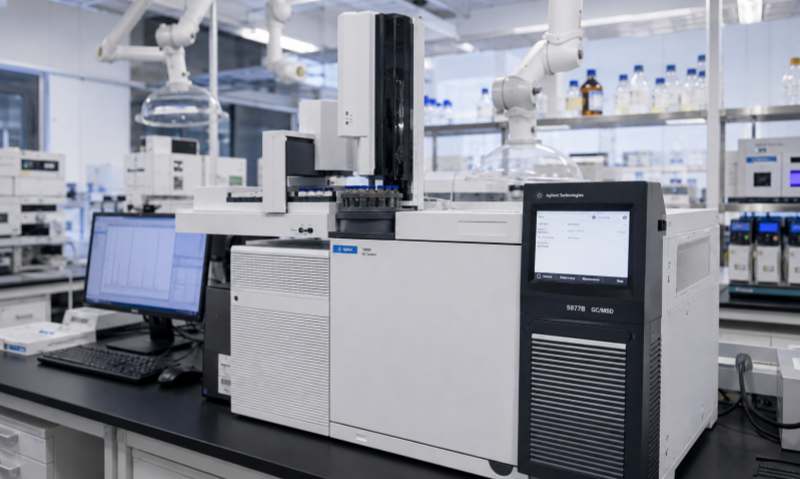
Temperature and humidity chambers are widely used in laboratories, pharmaceutical companies, electronics manufacturing, materials testing, and scientific research. These chambers provide controlled environmental conditions for testing product stability, reliability, and environmental adaptability.
During long-term operation, dust can gradually accumulate on the chamber's internal surfaces, air circulation components, filters, sensors, cooling systems, and ventilation openings. Excessive dust accumulation may reduce heat exchange efficiency, obstruct airflow, affect humidity control, and even cause equipment malfunctions.
Therefore, regular dust removal is an essential part of temperature and humidity chamber maintenance. Proper cleaning not only helps maintain stable operating conditions but also extends equipment service life and reduces unexpected downtime.
This article explains the main sources of dust, effective cleaning methods, important precautions, and preventive maintenance recommendations.
Dust accumulation is a common issue in environmental testing equipment. Several factors contribute to this problem.
Laboratory Environment: Dust particles from the surrounding environment can enter the chamber through ventilation openings, door gaps, and air circulation systems.
Air Circulation: The chamber's internal fan continuously circulates air. Dust particles may gradually settle on fan blades, air ducts, and internal surfaces.
Filter Contamination: Air filters can collect dust during operation. If they are not cleaned or replaced regularly, airflow resistance may increase.
Long-Term Operation: Equipment operating continuously for extended periods may accumulate dust around heat exchangers, electrical compartments, and mechanical components.
Poor Cleaning Practices: Dust generated during routine laboratory activities may enter the chamber when the door is opened frequently or samples are handled improperly.
Understanding these sources helps laboratories establish an effective cleaning schedule.
Before cleaning a temperature and humidity chamber, appropriate preparation is necessary to protect both the operator and the equipment.
Follow these steps:
Stop the current test program and safely remove samples from the chamber.
Turn off the equipment according to the manufacturer's shutdown procedure.
Disconnect the power supply before cleaning internal electrical or mechanical areas.
Allow the chamber to return to a safe temperature.
Remove shelves, sample racks, and other detachable accessories.
Prepare suitable cleaning materials, including lint-free cloths, soft brushes, and a vacuum cleaner with an appropriate attachment.
For chambers containing refrigeration systems or electrical heating components, follow the manufacturer's safety instructions before performing maintenance.
Never begin cleaning while the equipment is operating or while internal components remain dangerously hot.
The internal chamber is the area that comes into direct contact with samples and circulating air. Dust and other contaminants should be removed regularly.
Recommended cleaning method:
First, remove detachable shelves and accessories. Use a soft brush or suitable vacuum attachment to remove loose dust from corners and internal surfaces.
Next, wipe the stainless-steel interior with a clean, lint-free cloth. If necessary, use a mild cleaning solution approved by the manufacturer.
Avoid using strong acids, alkalis, abrasive powders, or aggressive chemical solvents because they may damage the chamber's internal coating or stainless-steel surfaces.
After cleaning, wipe away any remaining cleaning solution with a clean, slightly damp cloth. Dry the chamber thoroughly before restarting the equipment.
Pay particular attention to door seals, corners, shelf supports, and areas where dust tends to accumulate.
Air circulation fans are essential for maintaining uniform temperature and humidity throughout the chamber.
Dust accumulated on fan blades may affect airflow, increase mechanical resistance, and potentially cause abnormal noise or vibration.
To clean the fan system:
Disconnect the equipment from the power supply.
Remove the protective cover only according to the manufacturer's instructions.
Use a soft brush to remove dust from accessible fan blades.
Use an appropriate vacuum attachment to collect loose particles.
Inspect the fan housing and surrounding air ducts.
Reinstall all protective covers securely before operation.
Do not bend fan blades, apply excessive force, or allow dust to enter the motor bearings.
If the fan produces abnormal noise or vibration after cleaning, professional inspection may be necessary.
Air filters play an important role in preventing dust from entering internal equipment components.
Depending on the chamber design, filters may be installed around air inlets, ventilation openings, or cooling system components.
Regularly inspect the filters for dust accumulation.
For reusable filters, follow the manufacturer's cleaning instructions. Some filters can be cleaned with a vacuum cleaner or washed with water, while others must be replaced.
If a filter is washable, ensure that it is completely dry before reinstalling it.
Blocked ventilation openings should also be cleaned carefully. Maintain sufficient clearance around the equipment to support proper heat dissipation.
A severely contaminated filter should not be reused simply because its external appearance has improved after cleaning.
The condenser is an important component of the refrigeration system in temperature and humidity chambers.
Dust accumulation on condenser fins can reduce heat exchange efficiency, increase compressor operating pressure, and potentially affect cooling performance.
For routine maintenance:
Switch off and disconnect the equipment.
Locate the condenser according to the manufacturer's service instructions.
Remove loose dust using a soft brush or suitable vacuum cleaner.
Clean accessible ventilation areas without damaging the condenser fins.
Check whether the condenser fan operates normally.
Avoid using excessive compressed air, which may push dust deeper into the equipment or damage delicate fins.
Internal refrigeration system maintenance should be performed by qualified technicians. Do not open refrigerant circuits or attempt unauthorized repairs.
Temperature and humidity sensors are responsible for monitoring environmental conditions inside the chamber.
Dust or contamination on exposed sensor surfaces may interfere with measurement accuracy, depending on the sensor design.
Use only the cleaning method specified by the manufacturer. A soft, dry, lint-free cloth may be appropriate for some accessible sensor surfaces.
Do not spray cleaning liquids directly onto sensors, immerse sensor assemblies in water, or touch delicate sensing elements unnecessarily.
If temperature or humidity readings remain abnormal after routine cleaning, sensor inspection and calibration may be required.
To prevent secondary damage, laboratories should observe several important precautions:
Always disconnect the power supply before cleaning internal components.
Never pour water directly into the chamber.
Avoid abrasive materials and corrosive cleaning agents.
Do not damage electrical wiring, sensors, fan blades, or refrigeration components.
Ensure all cleaned components are completely dry before restarting.
Reinstall protective covers and accessories correctly.
Follow the manufacturer's maintenance and safety procedures.
For equipment used in pharmaceutical or regulated testing environments, cleaning procedures should also comply with applicable laboratory documentation and contamination-control requirements.
A preventive maintenance program can reduce dust accumulation and help maintain equipment performance.
| Maintenance Item | Recommended Frequency |
|---|---|
| Internal chamber cleaning | Monthly or as needed |
| Door seal inspection | Monthly |
| Air filter inspection | Monthly |
| Fan and air duct inspection | Every 3–6 months |
| Condenser cleaning | Every 3–6 months, depending on environment |
| Sensor inspection | Every 6 months |
| Temperature and humidity verification | According to laboratory requirements |
| Comprehensive equipment inspection | Annually or as recommended |
The actual frequency should be adjusted according to laboratory cleanliness, equipment operating hours, and manufacturer recommendations.
Dust removal is an important part of maintaining temperature and humidity chambers. Regular cleaning of internal surfaces, air circulation fans, filters, ventilation openings, condensers, and accessible sensor areas helps maintain airflow, heat exchange efficiency, and stable environmental conditions.
Laboratories should establish standardized cleaning procedures and conduct preventive inspections to identify dust-related problems before they affect equipment performance.
With proper maintenance and professional technical support, temperature and humidity chambers can operate more reliably, provide consistent testing conditions, and achieve a longer service life.