
Consultation Hotline
+1 (302) 618-8777
+1 (302) 618-8777
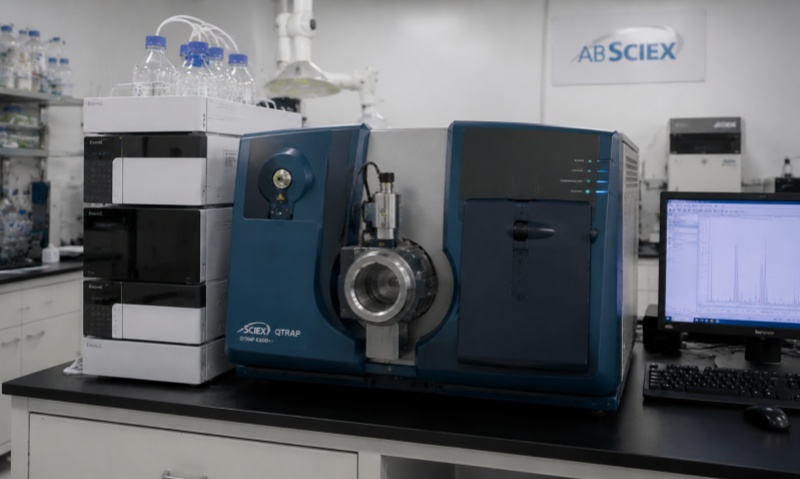
Electric thermostatic incubators are widely used in laboratories, pharmaceutical companies, biotechnology facilities, universities, and scientific research institutions. They provide a controlled temperature environment for cultivating microorganisms, storing samples, conducting biological experiments, and performing various temperature-sensitive tests.
The heating system, temperature controller, sensors, circulation fan, insulation materials, and electrical components work together to maintain stable operating conditions. However, prolonged operation, improper use, environmental contamination, and component aging can gradually affect equipment performance.
Regular maintenance and timely repairs are essential for ensuring temperature accuracy, extending equipment service life, reducing unexpected downtime, and maintaining reliable experimental results.
Before performing maintenance or troubleshooting, technicians should understand the major components of an electric thermostatic incubator.
Heating Elements: Heating elements convert electrical energy into thermal energy. They are responsible for raising the internal chamber temperature to the required setting.
Temperature Sensor: Usually a PT100 resistance temperature detector or thermistor, the sensor continuously monitors the chamber temperature and sends signals to the controller.
Temperature Controller: The controller compares the measured temperature with the set temperature and regulates the heating system accordingly.
Circulation Fan: Some incubators use a fan to distribute warm air evenly throughout the chamber, helping reduce temperature differences between different positions.
Insulation Layer: Insulating materials minimize heat loss and help maintain stable internal temperatures.
Door Seal: The silicone or rubber gasket around the door prevents heat leakage and protects the chamber from external temperature fluctuations.
Understanding these components helps technicians identify potential problems more efficiently.
Daily maintenance is one of the most effective ways to prevent equipment failures.
First, check the operating temperature displayed on the controller and compare it with the expected temperature. Any unusual fluctuation should be recorded and investigated.
Second, inspect the chamber interior. Remove dust, spilled liquids, culture residues, and other contaminants. Use a soft cloth and an appropriate laboratory cleaning solution. Avoid corrosive chemicals that may damage stainless steel surfaces.
Third, examine the door gasket. Ensure that the sealing material is clean, flexible, and free from cracks or deformation. A damaged gasket can cause heat loss and temperature instability.
Fourth, listen for unusual operating noises. Abnormal sounds may indicate fan bearing wear, loose components, or other mechanical problems.
Finally, confirm that the ventilation openings are unobstructed and that the incubator has sufficient space around it for heat dissipation.
In addition to daily inspections, electric thermostatic incubators require periodic preventive maintenance.
Temperature Calibration
Temperature accuracy is essential for laboratory applications. Use a calibrated reference thermometer or temperature data logger to compare the actual chamber temperature with the displayed value.
Measurements should be taken at several locations when temperature uniformity is important. If deviations exceed the manufacturer's specified tolerance, inspect the sensor, controller, and heating system before performing calibration adjustments.
Electrical System Inspection
Check power cables, plugs, terminals, switches, relays, and circuit breakers for signs of overheating, oxidation, or loose connections.
All electrical inspections and repairs must be performed by qualified personnel after disconnecting the equipment from the power supply.
Heating Element Inspection
Inspect the heating element for visible damage, corrosion, or signs of overheating. If heating performance becomes significantly weaker, technicians should check the element's electrical resistance and operating current according to the manufacturer's specifications.
Fan and Air Circulation Inspection
For models equipped with circulation fans, check fan operation, bearing condition, and airflow. Clean accumulated dust from accessible fan components and replace damaged bearings or motors when necessary.
Insulation and Door Inspection
Inspect the insulation structure and door sealing system. Damaged insulation or poorly fitted doors can increase energy consumption and reduce temperature stability.
The following table summarizes several common problems encountered during incubator operation.
|
Common Fault |
Possible Causes |
Recommended Solutions |
|---|---|---|
|
Incubator cannot heat |
Power failure, damaged heating element, faulty relay |
Check power supply, inspect heating element, replace defective relay |
|
Temperature rises too slowly |
Aging heater, insufficient voltage, excessive loading |
Inspect heater, verify voltage, reduce sample loading |
|
Temperature fluctuates significantly |
Faulty sensor, unstable controller, poor airflow |
Check sensor connections, calibrate controller, inspect fan |
|
Actual temperature exceeds setting |
Relay contacts stuck, controller failure |
Inspect relay and controller, replace defective components |
|
Uneven chamber temperature |
Fan malfunction, blocked airflow, excessive loading |
Clean airflow passages, inspect fan, rearrange samples |
|
Display shows an error code |
Sensor failure, wiring problems, controller malfunction |
Check sensor resistance and wiring, consult the service manual |
|
Excessive operating noise |
Loose components, worn fan bearings |
Tighten mechanical connections, replace damaged bearings |
|
Door cannot seal properly |
Worn or deformed gasket |
Adjust door alignment or replace gasket |
When troubleshooting, technicians should investigate the simplest potential causes first before replacing expensive components.
The temperature controller and sensor are among the most important components affecting incubator performance.
If the displayed temperature differs significantly from the actual chamber temperature, the sensor should be checked first.
For PT100 sensors, technicians can measure resistance using a calibrated multimeter and compare the results with the appropriate temperature-resistance relationship. For example, a standard PT100 sensor has a nominal resistance of 100 Ω at 0°C and approximately 138.5 Ω at 100°C.
Check sensor wiring, terminal connections, and insulation for damage. Loose connections may produce unstable temperature readings.
If the sensor is functioning correctly but the controller continues to display abnormal values, inspect the controller configuration, output signals, and relay operation.
Replacement sensors must match the original sensor type and specifications.
A clean operating environment contributes significantly to incubator reliability.
The external surface should be cleaned regularly to prevent dust accumulation around ventilation openings and electrical components.
The internal chamber should be cleaned after contamination or sample leakage. Before cleaning, disconnect the power supply and allow the chamber to cool.
Avoid spraying liquids directly onto electrical components, sensors, or control panels.
The incubator should be installed on a stable, level surface, away from direct sunlight, excessive humidity, corrosive gases, and strong external heat sources.
Do not overload the chamber with samples. Leave sufficient space between containers to maintain effective air circulation.
Safety must always be the priority during maintenance and repair.
Before opening the equipment housing, disconnect the power supply and verify that the electrical circuit is de-energized. Allow heating components to cool completely before touching them.
Use insulated tools and appropriate personal protective equipment. Never bypass temperature protection devices, thermal fuses, grounding connections, or other safety mechanisms.
If the incubator experiences repeated electrical failures, abnormal overheating, or burning odors, stop operating it immediately and arrange professional inspection.
After repairs, technicians should perform electrical safety checks, temperature calibration, and operational testing before returning the equipment to laboratory use.
A structured maintenance schedule helps laboratories reduce equipment failures and improve operational efficiency.
|
Maintenance Frequency |
Inspection Items |
|---|---|
|
Daily |
Temperature display, chamber cleanliness, door sealing, operating noise |
|
Weekly |
Internal cleaning, ventilation openings, power cable condition |
|
Monthly |
Fan operation, door gasket, electrical connections, temperature stability |
|
Every 3–6 Months |
Temperature calibration, heating element inspection, sensor verification |
|
Annually |
Comprehensive electrical inspection, controller testing, insulation and safety system assessment |
The actual maintenance frequency should follow the manufacturer's recommendations, equipment operating conditions, and laboratory quality management requirements.
Electric thermostatic incubators are essential pieces of laboratory equipment, and their operating reliability directly affects experimental consistency and laboratory productivity.
Regular cleaning, temperature calibration, electrical inspection, heating element testing, and timely replacement of worn components can significantly extend equipment service life.
When failures occur, technicians should follow a systematic troubleshooting process, identify the underlying cause, and use compatible replacement parts.
For laboratories operating multiple incubators, establishing a preventive maintenance program and maintaining detailed service records are particularly important.
Professional maintenance and repair services can also help laboratories restore equipment performance, reduce downtime, and ensure that electric thermostatic incubators continue to provide stable and dependable temperature control.